Bill of Materials
JMS 2D modules
About JMS 2DJMS 2D modules
About JMS 2DChoose between linear items (such as skirting) or finished items (such as furniture), provides breakdown of pricing, timber, fittings, glass etc and insert your own pictures.
Every joinery business makes things that don't fit neatly into a standard module. Skirting, architrave, furniture, mouldings, fire surrounds — bespoke items that still need to be quoted accurately, priced correctly and presented professionally. The JMS Bill of Materials module makes sure nothing gets left off, and everything goes out under the same roof.
Available as an optional add-on for both JMS 2D and JMS 3D Pro.
The BOM module is the flexible catch-all that sits alongside your other JMS modules and fills in the gaps. If JMS has a dedicated module for it — windows, doors, stairs — great. But for everything else, BOM has you covered.
Price up linear items like skirting and picture rails, or finished items like furniture and cabinets. Pull through your existing timber cost files, apply your wastage allowances, labour rates and profit margins, and produce a complete, itemised quote — with images — that covers every single thing on the job. All in one document, all on your branding.
Skirting, architrave, mouldings, furniture, fire surrounds and more — if you make it, you can quote it.
Price by the metre for linear items or as a whole for finished pieces — the right method for every product.
Uses your JMS cost files — wastage, imperfections, labour rates, markup and margins all applied automatically.
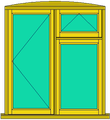
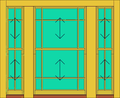
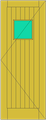
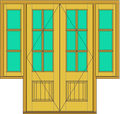
Attach a photo, CAD drawing or standard image to each BOM item — clients see exactly what they're getting.
Windows, doors, stairs, skirting, furniture — all together in one document, same branding, same finish.
Works seamlessly alongside every other module — pull the whole job together into one complete document.
The BOM module is flexible enough to cover virtually any bespoke joinery item. Common uses include:
It's a great fit if you:
Available as an optional module within JMS 2D and JMS 3D Pro. The BOM module works best alongside other JMS modules — the more of JMS you use, the more powerful it becomes.
Bring a quote you did recently. We'll draw it in JMS while you watch.
Book a demoOr call 01608 643302 · sales@joinerysoft.com